
Motorhome Tech, Heating & Systems
Touchscreen control panels in motorhomes: genuinely useful or a gimmick?

Written by
Leo
Leo covers campervan technology, maintenance, kit, and ownership advice, with a clear, practical focus on how things work in real life.
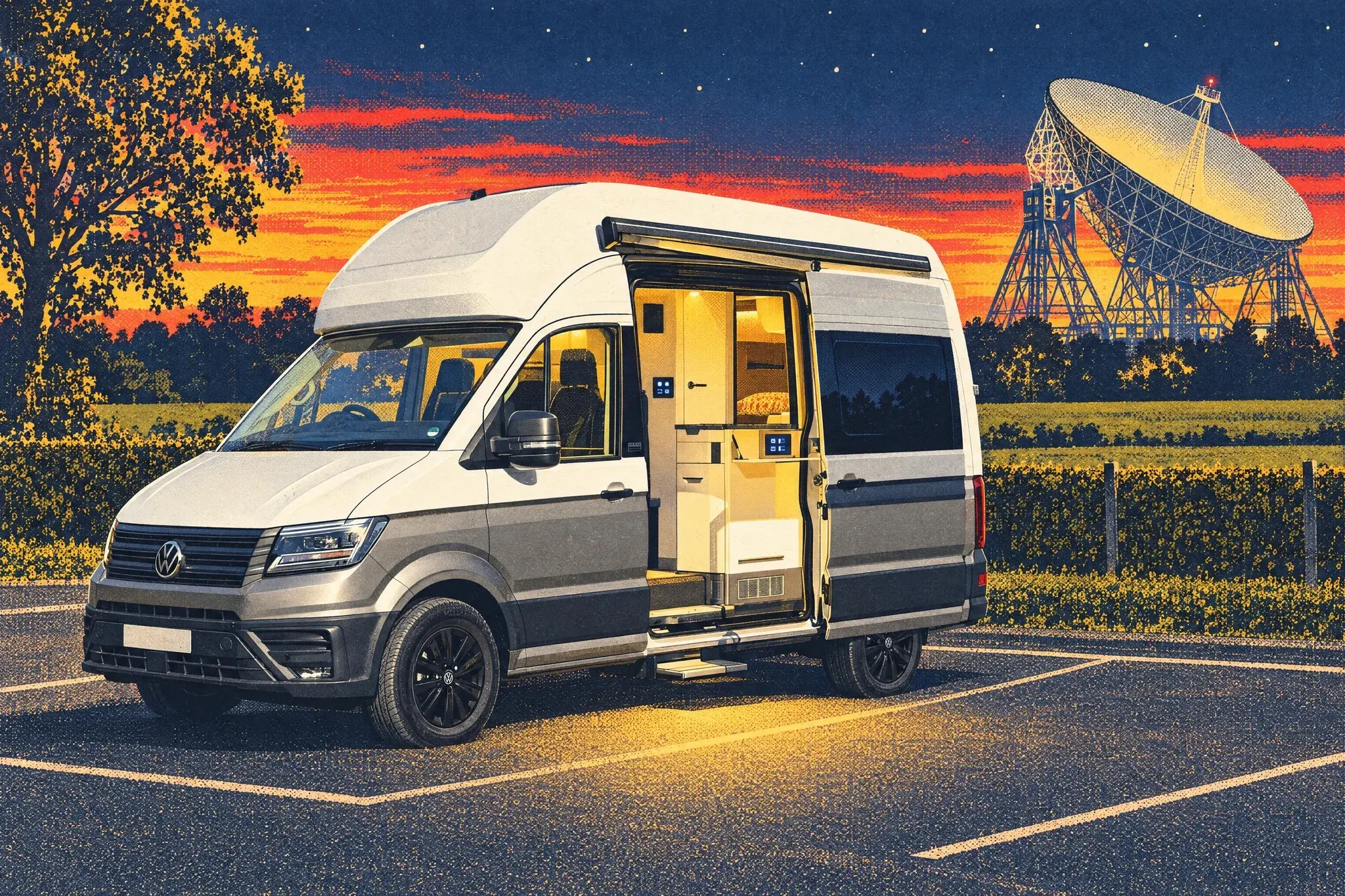
The short answer
Touchscreen control panels swap a motorhome's old wall of switches for one display that runs the lights, heating, pump and battery information, and at their best they are genuinely useful: rich power data at a glance, app control, and a clean, tidy interface. The honest catch is that a screen alone can be slower for simple tasks, struggles with glare and wet fingers, and puts everything behind one piece of glass. So the question is not screen versus switches, it is good design: the best vans pair a screen for information and convenience with a few physical controls and a real fallback for the essentials. Buy one designed by people who clearly pictured a wet, dark, tired evening in a field and you will rarely go wrong. Here is how to tell the clever ones from the gimmicks.

Press a glowing icon on a glass screen and your motorhome lights come on, the heating wakes up, the water pump primes, and a little gauge tells you the battery is happy. It looks lovely on a forecourt and it photographs beautifully in a brochure. The honest question is whether it makes your life better when you are parked in a damp field at half past ten at night and just want the lights to work.
Touchscreen control panels have spread quickly through new motorhomes and bigger campervans. They replace the old wall of rocker switches and little red LEDs with a single tidy display that controls almost everything. Some owners love them. Some quietly wish they had the old buttons back. The truth, as usual, sits in the middle and depends a lot on which system you have and how it was fitted.
This is the full picture: what these panels do, how they actually work, where they genuinely help, where they let you down, and exactly what to check before you buy a van that depends on one. No hype, no fear. Just what you need to make a calm decision.
What a motorhome control panel actually does
Before we judge touchscreens, it helps to understand the job they are doing, because that job has not changed in decades. A motorhome is a small building on wheels, and like any building it has services that need controlling and monitoring.
The control panel is the brain box for the living area. In most vans it handles a surprising amount:
- Lighting. Interior lights, often grouped into zones, sometimes with dimming and colour temperature.
- Water. The fresh water pump, fresh and waste tank levels, and on many vans the water heater.
- Heating. Space heating and hot water, whether that is a diesel or gas blown-air system or a wet underfloor type.
- Power. Leisure battery state, mains hook-up status, solar input, and sometimes the charging behaviour of a battery-to-battery charger.
- Habitation alarms. Gas detection, sometimes movement sensors, sometimes door status.
- Extras. Awning lights, step in and step out, fridge mode on some setups, and occasionally the satellite or TV system.
On an older van, each of those had its own physical switch, dial or warning light, usually clustered on a single panel near the door. You could learn the whole thing in five minutes because every function was a separate, labelled object you could touch.
A touchscreen does the same jobs, but it puts all of them behind one piece of glass. Instead of thirty switches you get a few menus. That is the core trade. Fewer physical things, more software. Everything good and bad about touchscreens flows from that single decision.
Why manufacturers moved to screens in the first place
It is easy to be cynical and assume screens are just there to look modern. That is part of it, but it is not the whole story, and understanding the real reasons helps you judge whether the trade is worth it for you.
Wiring and weight
A traditional switch panel needs a thick loom of wires, because every switch carries the actual current to its device. Lots of copper, lots of connectors, lots of weight, and lots of places for a connection to corrode or come loose over years of vibration. Modern systems often use a data bus instead. The screen sends a small signal down a thin cable to a control module near the device, and the module does the heavy switching locally. That can mean less cable, less weight, and in theory fewer long runs to go wrong.
Flexibility
With physical switches, the layout is fixed in the factory. With a screen, the same hardware can run a two-berth or a six-berth simply by changing the software. A manufacturer can offer more layouts without redesigning a switch panel every time. That is genuinely useful from a production point of view, and it is one reason screens spread so fast.
Information density
This is the part that benefits you directly. A small screen can show far more than a row of warning lights ever could. Instead of a single red light that means "battery low", a good screen shows the exact voltage, the percentage state of charge, how many amps are coming in from solar, and how many are going out to your kettle. That is real, useful detail that helps you manage power properly. We will come back to this, because it is the strongest argument in the touchscreen's favour.
Connectivity
Once you have a small computer running the van, it is a short step to a phone app. Many systems now let you check tank levels or turn the heating on from your bed, or from the pub down the lane. Whether you want that is personal, but it is only possible because there is a screen and a controller behind it.
The genuine advantages, honestly stated
Let us give the screens their due, because there are real wins here and it would be dishonest to pretend otherwise.
You finally get proper power information
If you spend any time off hook-up, knowing your true battery state is the difference between a relaxed weekend and a cold, dark morning. Older vans gave you a battery light with three or four bars, which is roughly as useful as a fuel gauge that only says "some" or "not much". A decent touchscreen shows state of charge as a percentage, live current in and out, and often a running history. You can watch your solar top the battery up through the day, see exactly what the inverter pulls when you run the coffee machine, and plan around it. For anyone serious about wild camping or longer off-grid stays, this single feature can justify the whole system.
One tidy place for everything
A clean screen by the door looks calm and uncluttered, and it genuinely is easier to take in at a glance once you know it. No hunting along a row of identical grey switches trying to remember which one is the water pump. The interface can group things logically and label them in plain words.
Scenes and shortcuts
Some systems let you set a "goodnight" button that turns off all the lights at once, or an "arrive" mode that brings up the lights, primes the water and lights the heating in one tap. When these are set up well they are lovely, the kind of small convenience you stop noticing because it just works.
Remote control through an app
Pre-warming the van on a frosty morning before you leave the breakfast table is a real comfort. Checking your fresh water level without getting up is a small thing that adds up over a fortnight. On vans with a heater that supports it, app control is one of the features owners use most and miss most when it is gone.
Software updates can add features
Unlike a fixed switch panel, a software system can in principle improve over its life. A manufacturer can refine the interface, add a new screen, or fix a quirk through an update. This does not always happen, and you should not buy on the promise of future updates, but the possibility exists and occasionally pays off.
The honest downsides nobody puts in the brochure
Now the other side of the ledger, because this is where the cynics have a point and where careful buyers should pay attention.
Everything behind one piece of glass is a single point of failure
This is the heart of the matter. With thirty switches, if one fails you lose one function and the rest carry on. With a touchscreen, the screen is the doorway to all of it. If that screen dies, freezes, or loses contact with its controller, you can in the worst case lose access to your lights, water and heating at the same time. A good system has fallbacks. Many do not, or the fallbacks are buried and the owner has never been shown them.
A row of switches degrades gracefully. A screen tends to fail all at once. That difference matters more than any feature list.
Touchscreens are slower for simple tasks
Turning on one light with a physical switch takes a fraction of a second and you can do it in the dark, half asleep, by feel. On a touchscreen you often have to wake the screen, wait for it to load, find the lighting menu, and tap the right zone. That is fine in the showroom. At three in the morning when a child needs the loo, it is a genuine irritation. Glass has no edges to feel for, so you cannot operate it without looking.
Glare, gloves and wet fingers
A glossy screen in bright sun can be hard to read. Capacitive screens, the kind that respond to a fingertip like a phone, often refuse to work with gloves on or with wet fingers, which is exactly the situation you find yourself in after washing up or coming in from the rain. Resistive screens, which respond to pressure, cope better with gloves but tend to look less crisp. Many owners never think to ask which type they are getting.
The learning curve and the menus
Switches are obvious. Menus have to be learned. Guests, family members and anyone borrowing the van will struggle, and you will become the person who has to explain how to turn the lights off every single time. Some interfaces are beautifully clear. Others bury common functions two or three taps deep behind icons that mean nothing until someone explains them.
They can drain power themselves
A screen that is always on, or always listening for a tap, draws a small but constant current. Over a few quiet days off grid that background drain adds up. Good systems sleep properly and wake on touch. Poor ones sit there sipping at your battery while you are not even looking at them.
Repair and replacement is harder and dearer
A rocker switch costs a few pounds and almost anyone can fit one. A proprietary control screen is a specific part, often only available through the system maker or the van builder, and fitting it can mean configuration work. If the model is a few years old, the exact screen may be hard to find at all. We will deal with the longevity question properly in its own section, because it is the one that should weigh most heavily on a buyer.
How these systems actually work, in plain terms
You do not need to be an electrician, but a basic mental model helps you ask the right questions and troubleshoot calmly when something plays up.
The screen is just the interface
This is the single most useful thing to understand. In most modern systems the screen does not actually switch your lights or run your pump. It is a display and a set of buttons. The real work is done by one or more control modules hidden behind a panel, usually near the electrical area. The screen sends a command, the module acts on it.
Why does this matter? Because it means a screen fault and a function fault are different problems. If your lights stop working but the screen is fine, the issue is probably a module, a fuse or the wiring, not the screen. If the screen is blank but everything still ran before it died, your services are probably fine and you just cannot see or control them through that interface. Knowing the difference stops you panicking and points an engineer in the right direction.
The data bus
The screen and the modules usually talk over a low-voltage data connection, often a type of bus used widely in vehicles. It carries signals, not power, so it can be thin. The benefit is tidy wiring. The risk is that a single connector working loose on that bus, or water getting into it, can confuse the whole conversation and produce odd faults that come and go. When a touchscreen system "goes weird" rather than simply failing, a bus or connection issue is a common culprit.
Power supply to the panel
The control system draws its own power from the leisure battery. If that battery gets very low, the system can behave strangely or refuse to start, which is unhelpful precisely when you need it to tell you the battery is flat. This is why some systems keep a basic ability to charge and a minimal display alive even when things are dire, and why the very best ones have a true hardware fallback.
The fallback question: what happens when the screen dies?
If you read nothing else before buying, read this section. The behaviour of a system when its screen fails is the clearest line between a well-designed setup and a fragile one.
The good designs
Better systems keep at least one physical control for the essentials. That might be a single hardware switch that forces the water pump on, a manual override on the heater itself, and lighting that can be reached another way. Some heaters have their own small dedicated controller that works independently of the main screen, so even if the touchscreen is dead you can still get heat. Ask specifically whether the heating has its own controller or relies entirely on the main panel.
The risky designs
The fragile setups route absolutely everything through the screen with no physical backup. If the glass fails, you are stuck until you can get to an engineer. People have ended a trip early over a failed display, not because anything mechanical was wrong but because they simply could not turn anything on. That is a design choice, not bad luck, and it is one you can check for before you commit.
The questions to ask
- If this screen failed tonight, could I still turn on a light, run the water pump and get heat?
- Does the heater have its own independent controller?
- Is there a hardware override for the water pump?
- Can the screen be rebooted by the owner, and how?
- Is there a second screen or a phone app that can take over?
A confident, specific answer to those questions tells you a lot about how seriously the system was designed. A vague answer tells you something too.
Touchscreen versus traditional switches: an honest comparison
Neither approach is simply better. They suit different owners and different ways of using a van. Here is the comparison without taking sides.
Where switches still win
- Speed and feel. Instant, operable in the dark, no waking up, no menus.
- Resilience. One failure equals one lost function, not the whole van.
- Simplicity for guests. Anyone can use them with no explanation.
- Cheap, easy repairs. Parts are generic and replacement is straightforward.
Where screens win
- Information. Proper battery, solar and tank data you cannot get any other way.
- Tidiness. One clean panel instead of a cluttered wall of switches.
- Convenience features. Scenes, timers, remote control.
- Flexibility. The same hardware adapts to different layouts and can be updated.
The hybrid, which is often the sweet spot
Plenty of thoughtful vans now do both. They keep a touchscreen for the rich information and the convenience, and they keep a small set of physical switches for the things you reach for most, usually a main light and the water pump. This hybrid approach quietly solves most of the touchscreen's weaknesses while keeping its strengths. If you are choosing a new van and the layout offers it, a hybrid is often the most sensible answer, and it is worth seeking out.
The longevity problem, and it is a real one
A motorhome is a long-term thing. Many are kept ten, fifteen, even twenty years, and they hold value partly because the running gear and the body last. Electronics do not age the same way as a coachbuilt body or a diesel engine. This deserves a clear head.
Screens have a shorter natural life than the van
A glass display, its backlight, its touch layer and its little computer are all consumer-grade electronics living in a vibrating, temperature-swinging, sometimes damp environment. They will not last as long as the chassis. That is not a scandal, it is just physics. The sensible expectation is that at some point in a long ownership, the screen or a module may need attention.
Spare parts and obsolescence
This is the genuine worry. When a screen is a proprietary part tied to one system maker, its availability depends on that maker continuing to support the model. Electronics move fast. A panel fitted today may not be made in the same form in eight years, and the replacement may need different wiring or configuration. With generic switches there is no such problem, because a switch is a switch. Before buying an older van that relies heavily on a screen, it is worth a quick search to see whether replacement parts and support still exist for that exact system.
What it costs to put right
Replacing a failed control screen is not a few pounds. Depending on the system it can run into the hundreds for the part alone, plus labour and configuration. That is not a reason to avoid screens, but it is a reason to factor electronics into your view of an older van's value, and a reason to value any system that has a sensible fallback so that a screen fault never strands you mid-trip.
Buy the van for the chassis, the body and the layout. Treat the screen as a feature that may need maintenance, not as the thing that defines the van.
Real-world reliability: what actually goes wrong
It helps to know the common failure modes, because most are manageable and few are dramatic. Forewarned, you will troubleshoot calmly instead of assuming the worst.
Freezes and reboots
Like any small computer, these systems can occasionally lock up. The usual fix is a reboot, either through a menu, a hidden reset, or by briefly disconnecting power. Knowing how to reboot your specific system is genuinely worth learning on day one, because a freeze that looks like a dead screen is very often just a software hiccup that a restart clears.
Loose connections and the bus
Vans vibrate constantly on the road. Over years, connectors can loosen. The symptom is often intermittent: a function that works, then does not, then works again. These are fiddly to chase but rarely expensive once found, and they are a job for someone comfortable with auto electrics rather than a roadside emergency.
Damp ingress
Water is the enemy of all van electronics. A leak near a module or a connector causes corrosion and strange faults. This is one more reason habitation damp checks matter, and one more reason to take any sign of water seriously and early.
Low battery confusion
As noted, a deeply discharged leisure battery can make the control system behave oddly. Often the cure is not a repair at all but simply charging the battery. If your screen is misbehaving and your power is low, charge first and judge afterwards.
Touch calibration drift
On some screens, especially older resistive ones, the touch can drift so your taps land slightly off target. Many systems have a recalibration routine. If your screen seems to ignore you or respond in the wrong place, recalibration may fix it without any new hardware.
The phone app question
App control is one of the headline features and worth a fair look, because it is genuinely useful for some and pointless for others.
What it does well
Pre-heating the van from indoors on a cold morning is the standout. Checking tank and battery levels from your seat, or from a short walk away, is a small daily convenience. Some apps log power history so you can understand your usage over a trip, which is genuinely educational the first time you do it.
The honest limits
Many app connections work over local wireless or short-range, not the wider mobile network, so "turn the heating on from the office" is often not really on the table without extra hardware and a signal at the van. App reliability varies, accounts sometimes need logging into again, and an app is one more thing that can stop working when a maker updates it. Treat the app as a nice extra, not as your primary control. The van should be fully usable from its own panel with no phone at all.
Data and accounts
Some systems want you to create an account and connect to the maker's servers. If you care about that, ask whether the core functions work without an internet account and whether the app works purely locally. For most people this is a minor point, but it is fair to know what you are signing up to.
What to check before you buy a van with a touchscreen
This is the practical heart of the article. Whether you are looking at a brand new van or a used one, run through this list. It takes ten minutes and it tells you almost everything.
On any van
- Operate it yourself. Do not let the salesperson drive. Turn lights on and off, prime the pump, open the heating menu. Time how long simple tasks take.
- Try it in the dark and the bright. Cup your hands over it to simulate night, then check it in direct light if you can. Look for glare and readability.
- Find the most-used functions. How many taps to turn on a single light? To start the heating? If common jobs are buried, that is a daily annoyance.
- Ask the fallback question. If the screen dies tonight, what still works? Get a specific answer.
- Learn the reboot. Ask how to restart the system. If nobody knows, that is telling.
- Check the power data. Does it show true state of charge, current in and out, solar input? Good data is the system's best feature.
On a used van especially
- Check the system is still supported. A quick search on the system or panel name will show whether parts and software still exist.
- Look for water near the modules. Any sign of damp near the electrical bay is a red flag for future electronic faults.
- Watch for intermittent behaviour. Toggle things a few times. A function that works inconsistently hints at a loose connection.
- Ask the history. Has the screen ever been replaced or played up? Owners usually remember.
- Check the battery health first. An old, tired leisure battery can make a perfectly good system look faulty. Judge the screen on a healthy battery.
If you can, take a habitation check seriously
A proper habitation service includes the electrical system and the controls. If you are buying used, a recent habitation check from a competent engineer gives you confidence that the system has been looked at by someone who knows what normal looks like. It is money well spent on any van, and doubly so on one where a screen runs the show.
Living with a touchscreen day to day
Assuming you end up with one, and most new buyers will, here is how to get the best from it and avoid the common frustrations.
Learn it before you need it
Spend twenty minutes on the driveway going through every menu. Find the lights, the pump, the heating, the power screen, the reboot, and any scenes. Doing this calmly at home beats fumbling in a dark layby on the first night. Take a photo of any sequence you are likely to forget.
Set up your scenes
If your system supports scenes or shortcuts, set up a goodnight scene and an arrival scene. These are the features people love most once they exist, and they are usually quick to configure. A single tap that kills all the lights is a genuinely nice end to the day.
Keep the screen clean and protected
Fingerprints make a glossy screen harder to read in sun. A quick wipe helps. Some owners add a matte protector to cut glare, the same kind sold for phones, cut to fit. It is cheap and it can make a glossy screen far more pleasant in bright weather.
Mind the background drain
Learn whether your screen truly sleeps. If it stays bright or warm to the touch when idle, that is power you are spending for nothing. Many systems have a sleep or dim timeout you can shorten. Off grid, every little helps.
Keep the leisure battery healthy
Because the whole system depends on it, a well-maintained leisure battery is the foundation of a reliable control panel. Keep it charged over winter, replace it when it is tired, and your screen will behave far better than it would on a battery that is on its last legs.
Know your manual override
If your van has any physical fallback, find it and remember it. The water pump override, the heater's own controller, the master light switch if there is one. Knowing these means a screen fault is an inconvenience, not the end of a trip.
So, useful or gimmick? The honest verdict
Here is the plain answer. A touchscreen control panel is neither a gimmick nor a miracle. It is a sensible piece of technology that is brilliant at some things and weak at others, and the version you get matters enormously.
Where touchscreens earn their place is information and convenience. The power monitoring alone is a real upgrade for anyone who spends time off grid, and the tidy single panel, the scenes and the optional app are genuine quality-of-life features. For the way most people use a modern van, on hook-up much of the time and wanting a clean, simple interior, a good screen is a pleasure.
Where they fall down is resilience and speed. A screen with no physical fallback is a single point of failure, and operating glass in the dark or with cold wet hands will never beat a switch you can find by feel. The longevity and repair picture is also genuinely worse than a wall of switches, and that matters on a vehicle you may keep for many years.
The conclusion writes itself. The best setup is not all screen and not all switches. It is a screen for the rich information and the convenience, plus a handful of physical controls and a real fallback for the essentials. That hybrid keeps almost all of the upside and removes most of the risk. If you are choosing between vans, the one that thought about what happens when the screen fails is the one designed by people who actually use motorhomes.
The bottom line
Do not be dazzled by a glowing panel on a forecourt, and do not dismiss it as a gimmick either. Judge it on real questions. Can you operate the basics quickly and in the dark? What still works if the screen dies tonight? Does the power data actually help you manage your battery? Is the system still supported with available parts? And is your leisure battery, the thing the whole system leans on, in good health?
Answer those and you will know exactly what you are getting. A well-designed touchscreen, backed by sensible fallbacks and a healthy battery, is a genuinely useful part of a modern motorhome. A poorly designed one that routes everything through fragile glass with no backup is a frustration waiting to happen. The technology is not the point. The thinking behind it is. Buy the van that was designed by people who clearly imagined a wet, dark, tired evening in a field, and you will rarely go wrong.
Common questions
Are motorhome touchscreen control panels useful or a gimmick?
Both, depending on the design. A well-designed touchscreen gives genuinely useful power information, app control and a tidy single interface, while a poorly designed one routes everything through fragile glass with no backup and becomes a frustration. The technology is not the point; the thinking behind it is. The best setups pair a screen with a few physical controls and a fallback.
What happens if a motorhome touchscreen fails?
It depends entirely on the design, which is the key question to ask. Good systems keep the screen as just an interface, with a data bus and physical or fallback controls so the essentials still work if the display dies. Risky designs route everything through the glass with no override, so a frozen or dead screen can leave you unable to switch on basic functions.
Are touchscreens better than traditional switches in a motorhome?
Each wins somewhere. Switches are faster and easier for simple tasks in the dark or with wet, gloved fingers, while screens win for rich battery and system information, scenes and shortcuts, and app control. The hybrid, a screen plus a handful of physical controls and a fallback, is often the sweet spot that keeps the upside and removes most of the risk.
What goes wrong with motorhome touchscreens?
The common issues are freezes and reboots, loose connections on the data bus, damp ingress, confusion when the leisure battery is low, and touch calibration drifting over time. Screens also have a shorter natural life than the van and spare parts can become obsolete, so repair or replacement is harder and dearer than swapping a rocker switch.
Do touchscreen panels drain the leisure battery?
They can add a small background draw, and the whole system leans on the leisure battery, so a tired or low battery can cause confusing behaviour and faults. Keeping the leisure battery healthy is one of the most important things you can do for a screen-based van, alongside learning the manual overrides before you need them.
What should I check before buying a motorhome with a touchscreen?
Ask what still works if the screen dies tonight, whether you can operate the basics quickly in the dark, whether the power data genuinely helps you manage the battery, and whether the system is still supported with available parts. On a used van, check the battery's health and take a habitation check seriously. Buy the van designed by people who imagined a wet, dark, tired evening in a field.
The reachable bit
The camper you fall for is rarely the one you can afford. That gap is the whole reason Campervan.win exists. Right now we’re giving away the Sunlight Vanlife, worth around £65,000, and closing that gap is the point: capped entries so the odds stay honest, £10 a ticket, a maximum of five per person, £500 to a UK charity from every full draw, the winner picked by a public randomness beacon anyone can re-check, and one person driving away in the van itself.

Enjoyed this post?
Get more honest campervan guides like this one in your inbox.
You’re in!
Check your inbox. We’ve just sent you a welcome email.

About the author
Leo
Leo covers campervan technology, maintenance, kit, and ownership advice, with a clear, practical focus on how things work in real life.
Keep Reading
Related Reading
Thoughtful articles that build on what you’ve just read.

Motorhome Tech, Heating & Systems
15 min read
Gas-free motorhomes: living without LPG through a UK winter is possible but not simple
A growing list of motorhomes now leave the factory with no gas at all. We look at what gas does in a typical van, what replaces each job, and whether diesel heating, induction cooking and a big lithium bank can cope with short British days, weak winter solar and campsite hook-up.

Motorhome Tech, Heating & Systems
13 min read
Thetford's £420 separating kit changes the cassette chore, and a microwave toilet is next
Thetford now sells a kit that turns its C220 and C260 cassette toilets into separating toilets, Dometic has shown rival kits, and a microwave toilet that burns waste to ash has appeared in Germany. Each one changes the least-loved job in the van in its own way, and each suits a different kind of owner.

Motorhome Tech, Heating & Systems
29 min read
Heated storage and double floors: the cold-weather feature checklist for motorhome buyers
A clear, honest guide to the features that actually keep a motorhome usable in a British winter, from double floors and heated storage to insulation, freeze protection and the standards worth checking before you buy.

Motorhome Tech, Heating & Systems
24 min read
The Hymer SLC chassis explained: what the Super Light Chassis changes for ride and handling
SLC is Hymer's Super Light Chassis, built on a front-wheel-drive Mercedes Sprinter with a lowered double floor and independent suspension. The piece explains the low centre of gravity, payload and handling benefits, and the front-drive traction trade-off versus rear-wheel-drive Sprinter conversions.